

Business Knowledge is Zaplane’s built-in knowledge base — a place to store facts, policies, and product details per business that your AI Agents and other features can draw on. You can add entries by hand, generate them from Q&A pairs, keep them in sync with your site’s content, and search them by meaning instead of just keywords.
Open Business Knowledge
Step 1: Go to Business Knowledge
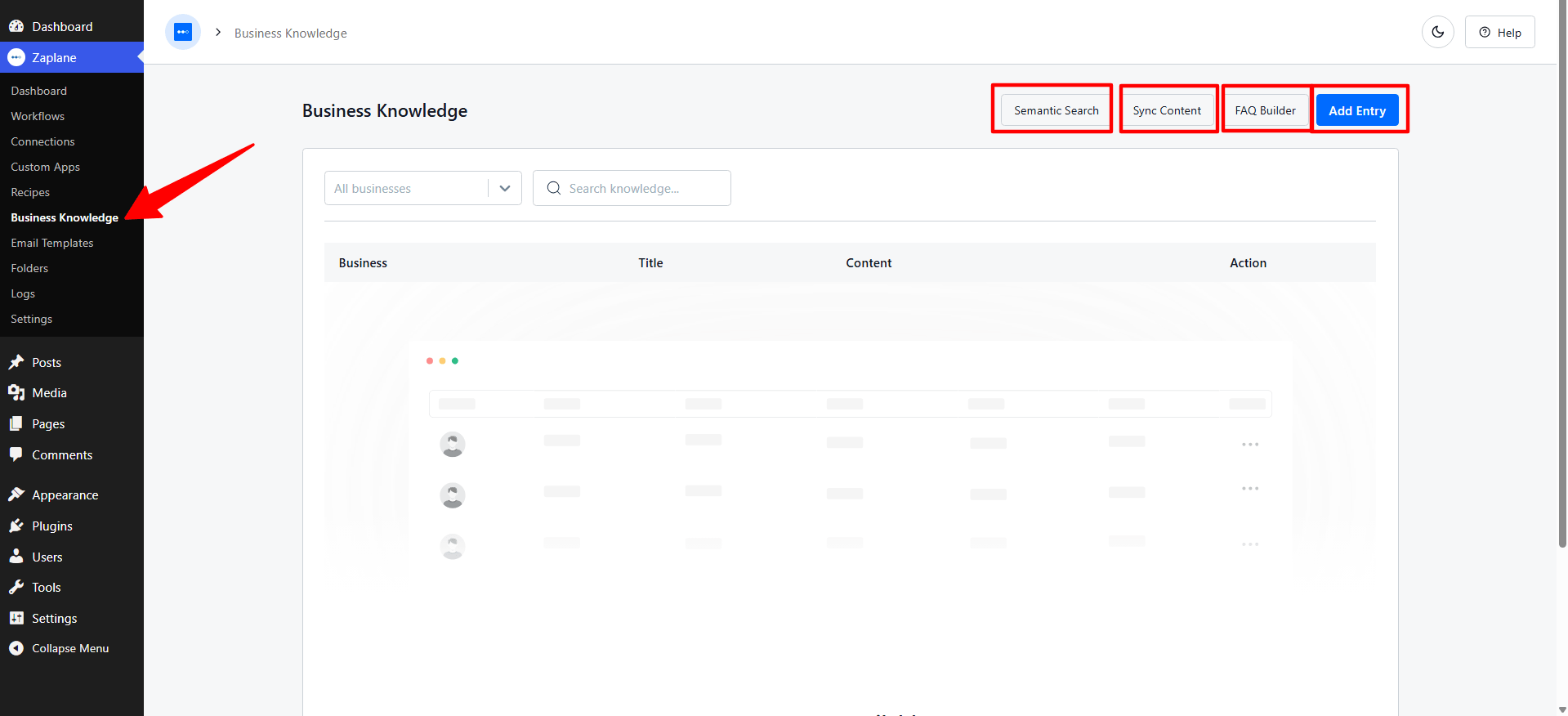
In Zaplane, click Business Knowledge in the sidebar. From here you can use Semantic Search, Sync Content, FAQ Builder, or Add Entry.
Add a Knowledge Entry
Step 2: Add an Entry
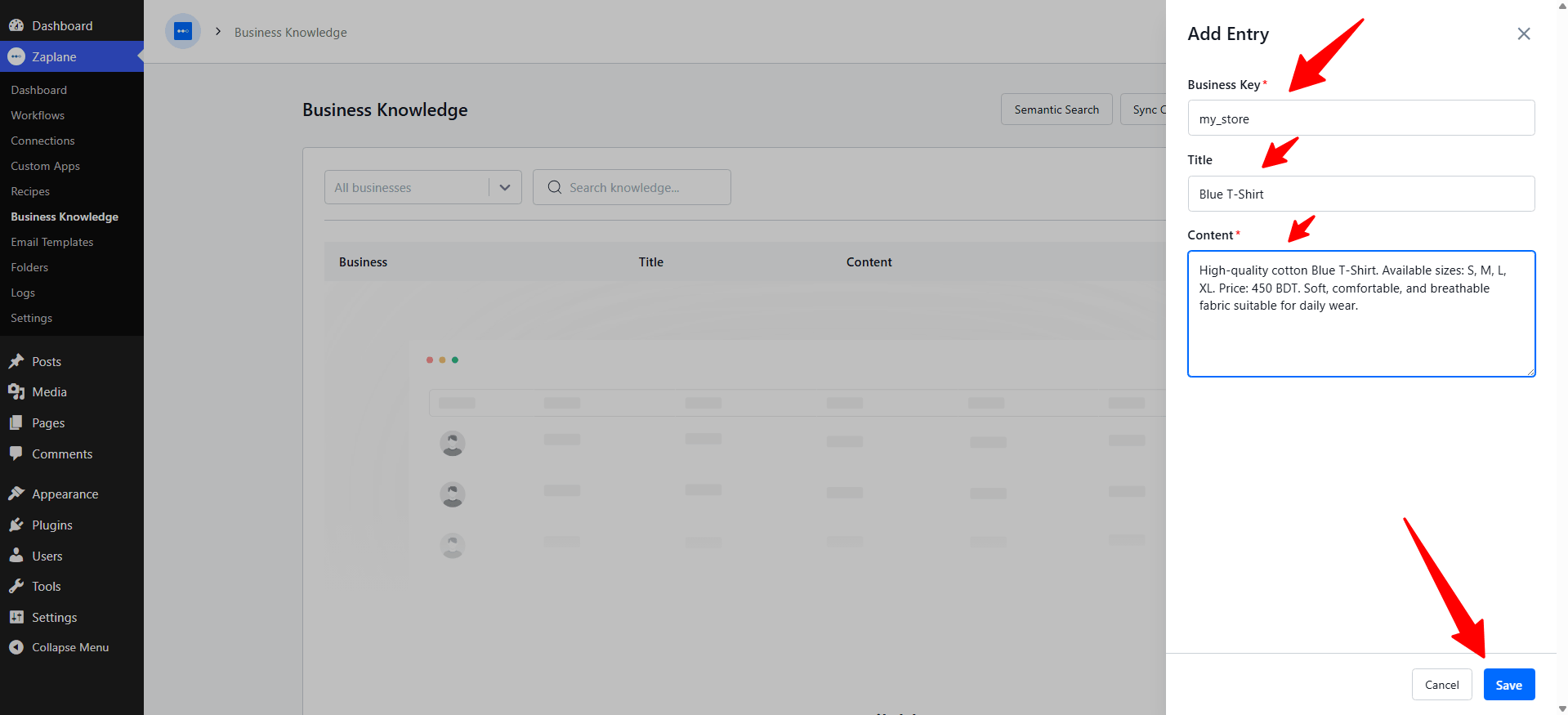
Click Add Entry, fill in the Business Key, Title, and Content, then click Save.
Search Your Knowledge (Semantic Search)
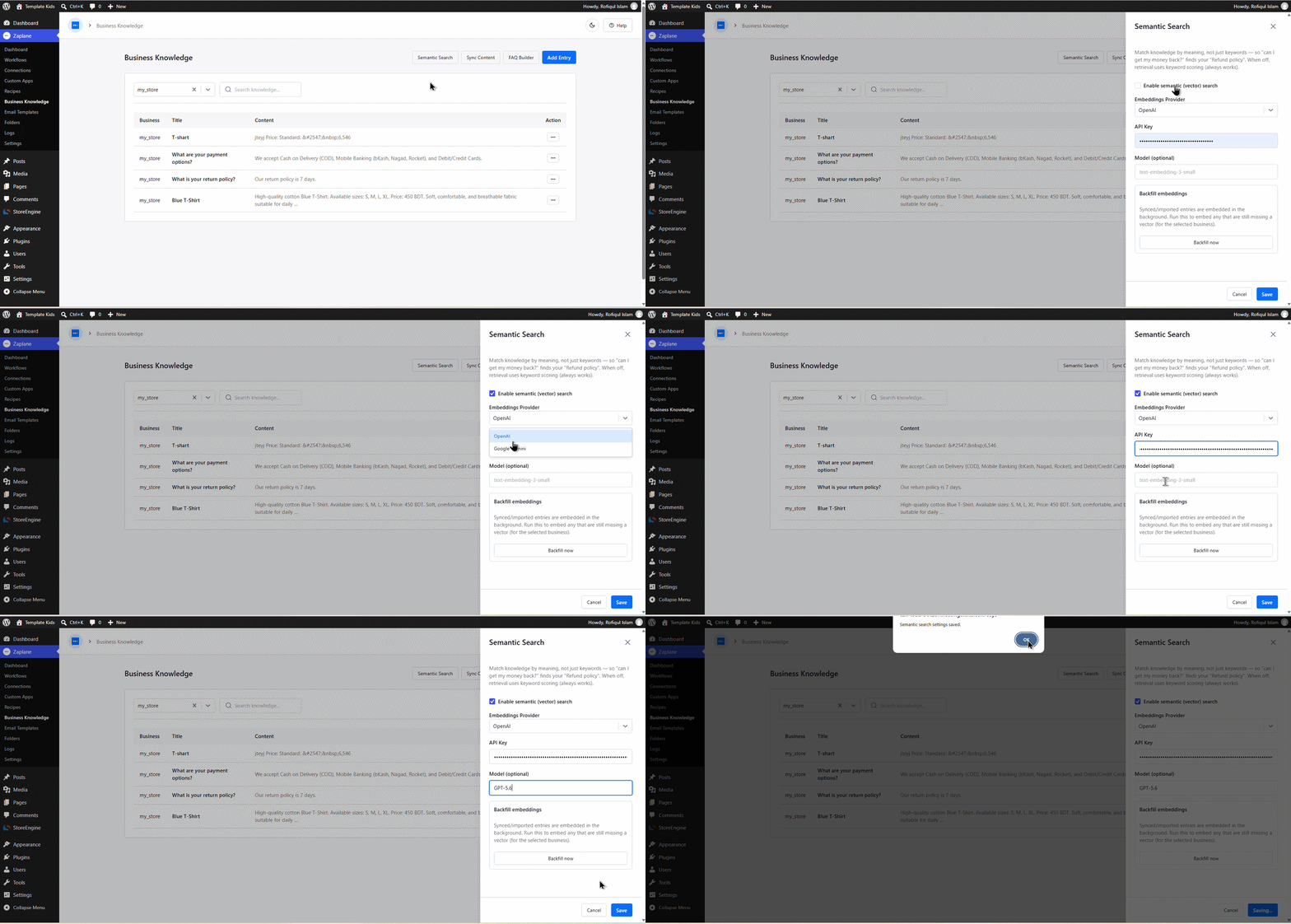
Step 3: Open Semantic Search Settings
Click Semantic Search. Check Enable semantic (vector) search and choose an Embeddings Provider (e.g. OpenAI). With this off, search falls back to keyword scoring.
Step 4: Add Your API Key and Model
Enter your API Key for the chosen provider, and optionally a specific Model.
Step 5: Save Your Settings
Click Save. You can also click Backfill now afterward to embed any synced or imported entries that are still missing a vector.
Sync Content Automatically
Step 6: Open Sync Content
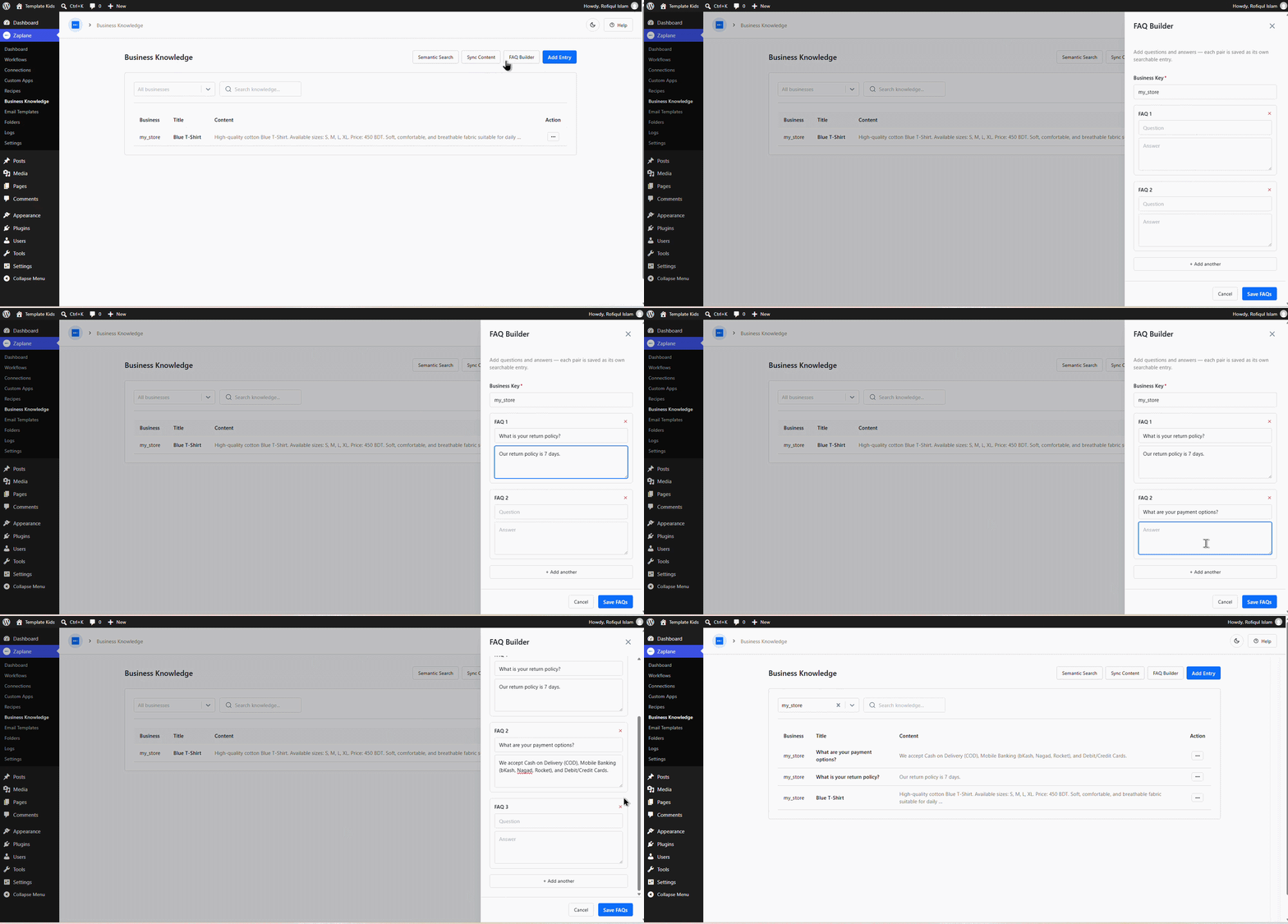
Click Sync Content. Enter the Business Key, choose a Post Type, and set the Status to pull from (e.g. Published).
Step 7: Choose What to Sync
Toggle Include body content and Include excerpt as needed, and optionally add Custom fields or Taxonomies to pull in alongside each item.
Step 8: Run the Sync
Click Sync. Each matching item becomes one searchable entry, and re-syncing later updates existing entries in place.
Generate FAQs Automatically
Step 9: Open FAQ Builder and Add Questions
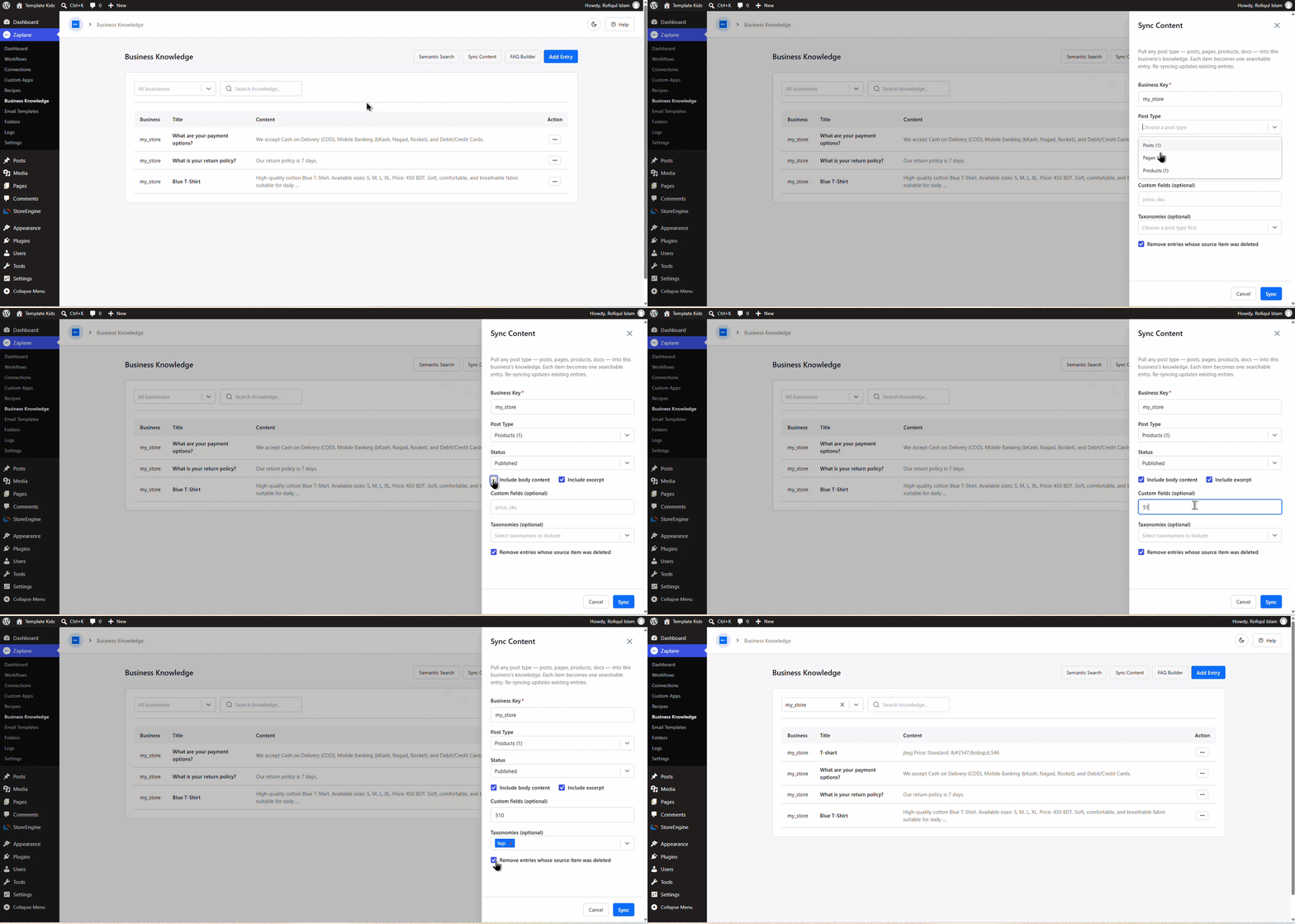
Click FAQ Builder, enter the Business Key, then fill in a Question and Answer for each FAQ. Click + Add another for more pairs.
Step 10: Save Your FAQs
Click Save FAQs. Each question-and-answer pair is saved as its own searchable entry.
Done!
Your Business Knowledge base is ready — searchable by meaning, kept in sync with your site content, and easy to grow with manual entries or FAQ pairs.