

This guide shows how to start a Zaplane workflow whenever your Telegram bot receives a message. You will create a bot in Telegram, connect it to Zaplane, and then add it as a trigger. Make sure you have a Telegram account before you begin.
Step 1: Create a Telegram Bot
Open Telegram and search for @BotFather. Start a chat and send the /newbot command. Choose a name for your bot, then choose a username for it. The username must end in
bot. When the bot is ready, BotFather sends you a token. Copy it, as you will need it in Step 4.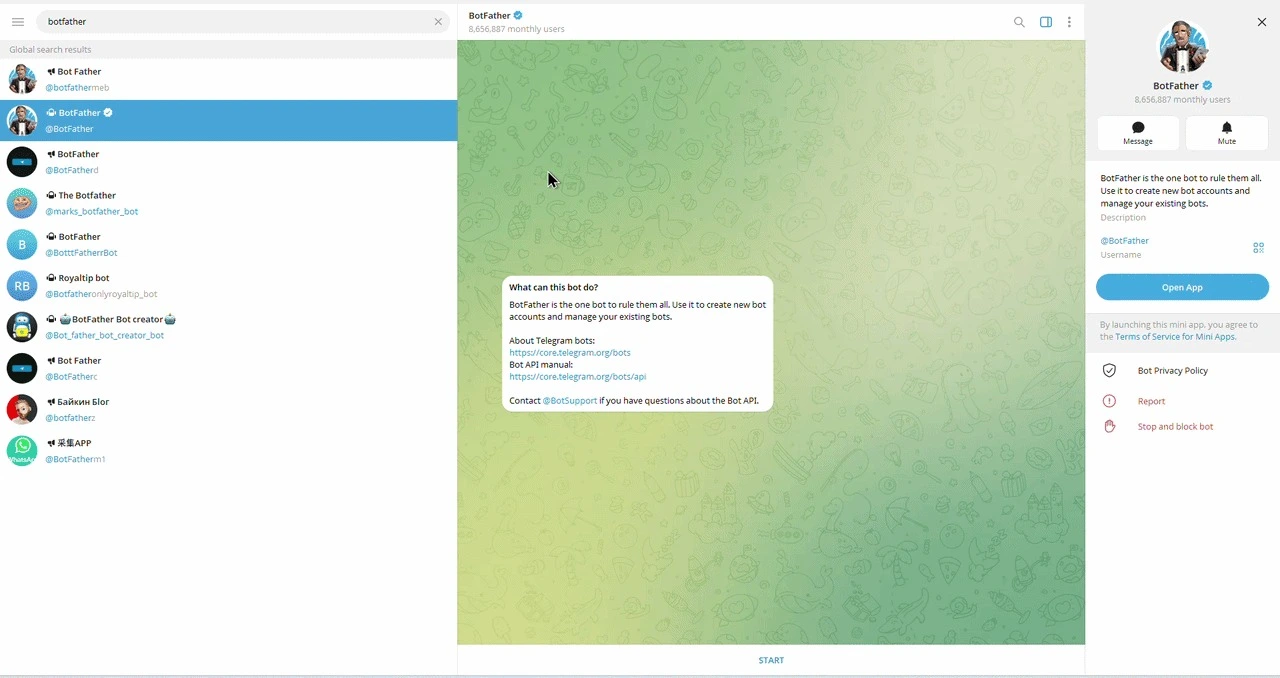
Keep your token private. Anyone who has it can control your bot.
Step 2: Open Connections and Create a Credential
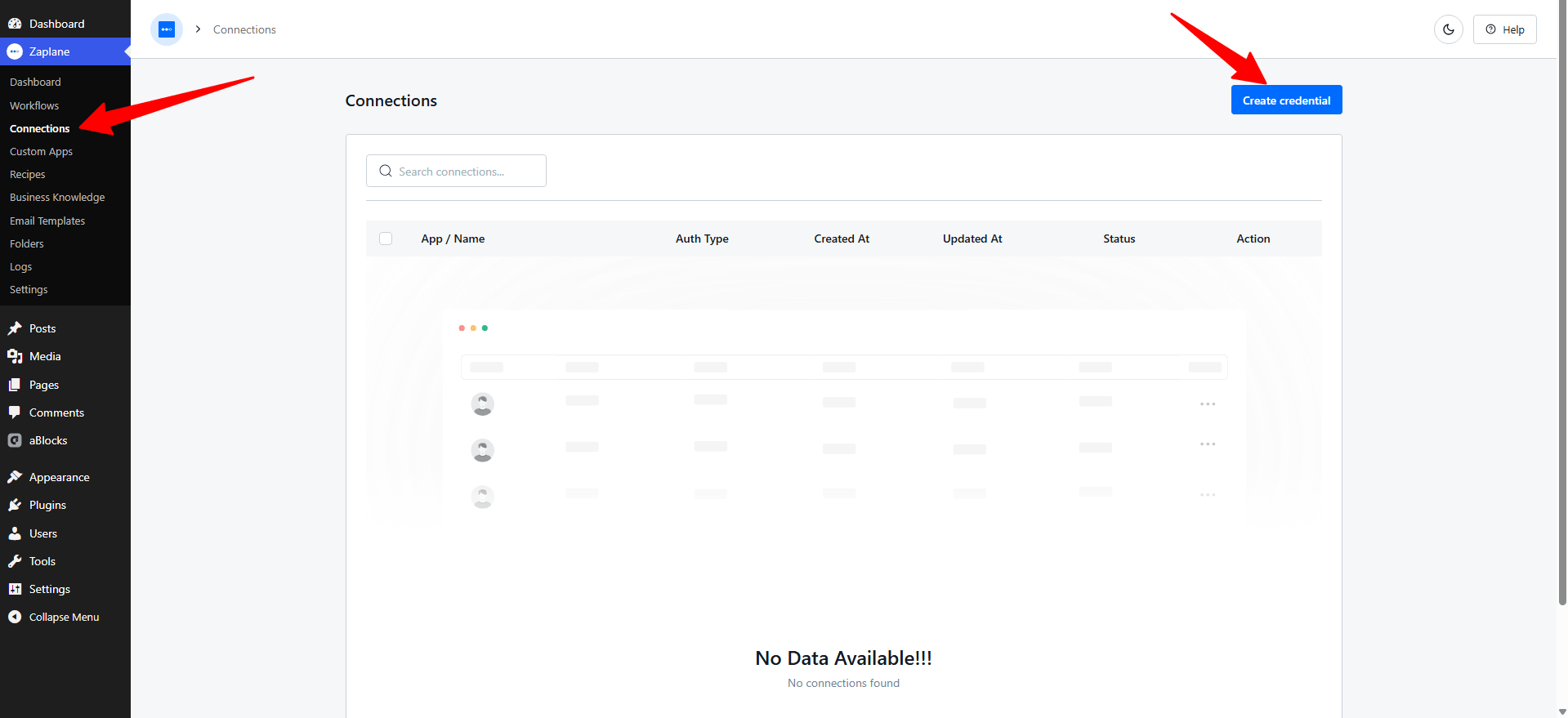
In your WordPress dashboard, go to Zaplane > Connections and click Create credential.
Step 3: Select Telegram
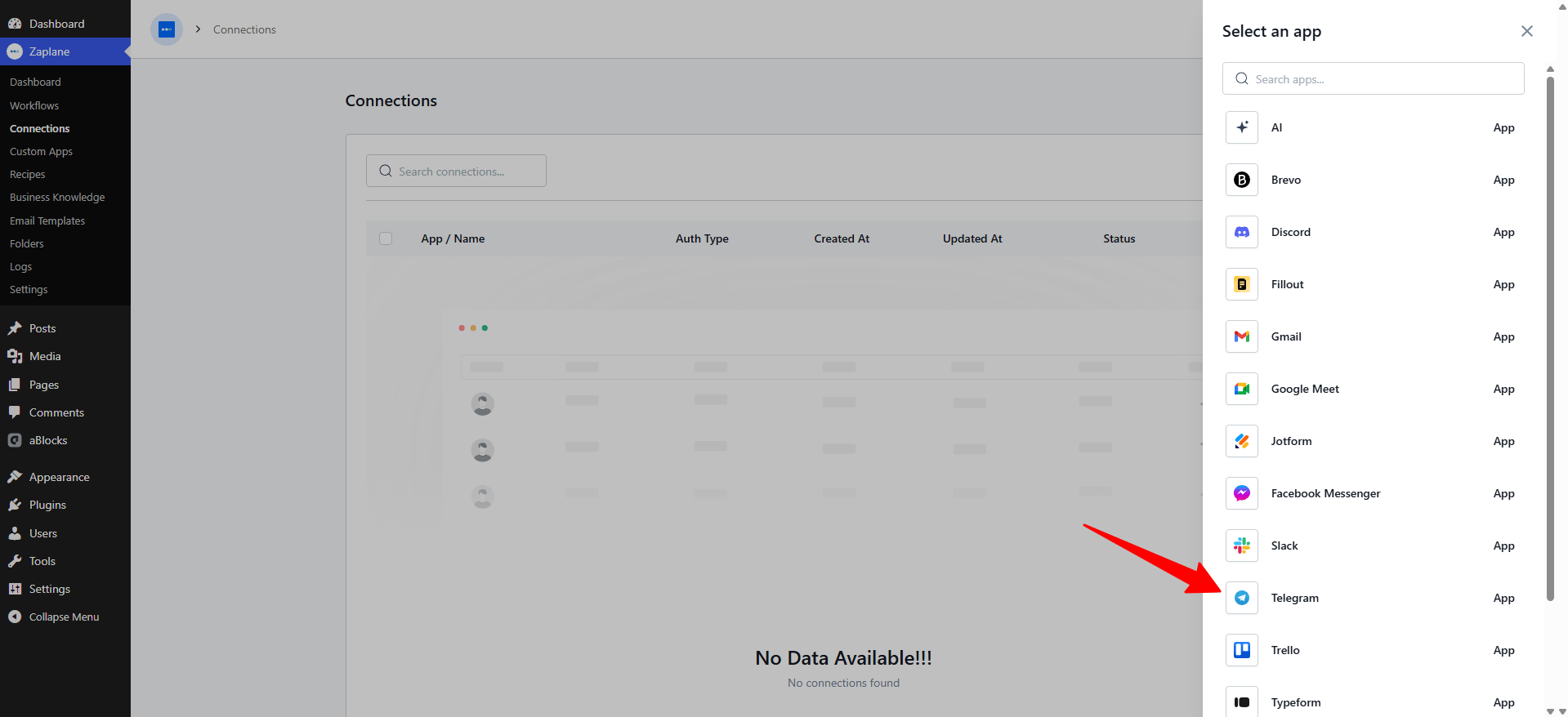
In the Select an app panel, choose Telegram from the list.
Step 4: Paste Your Bot Token
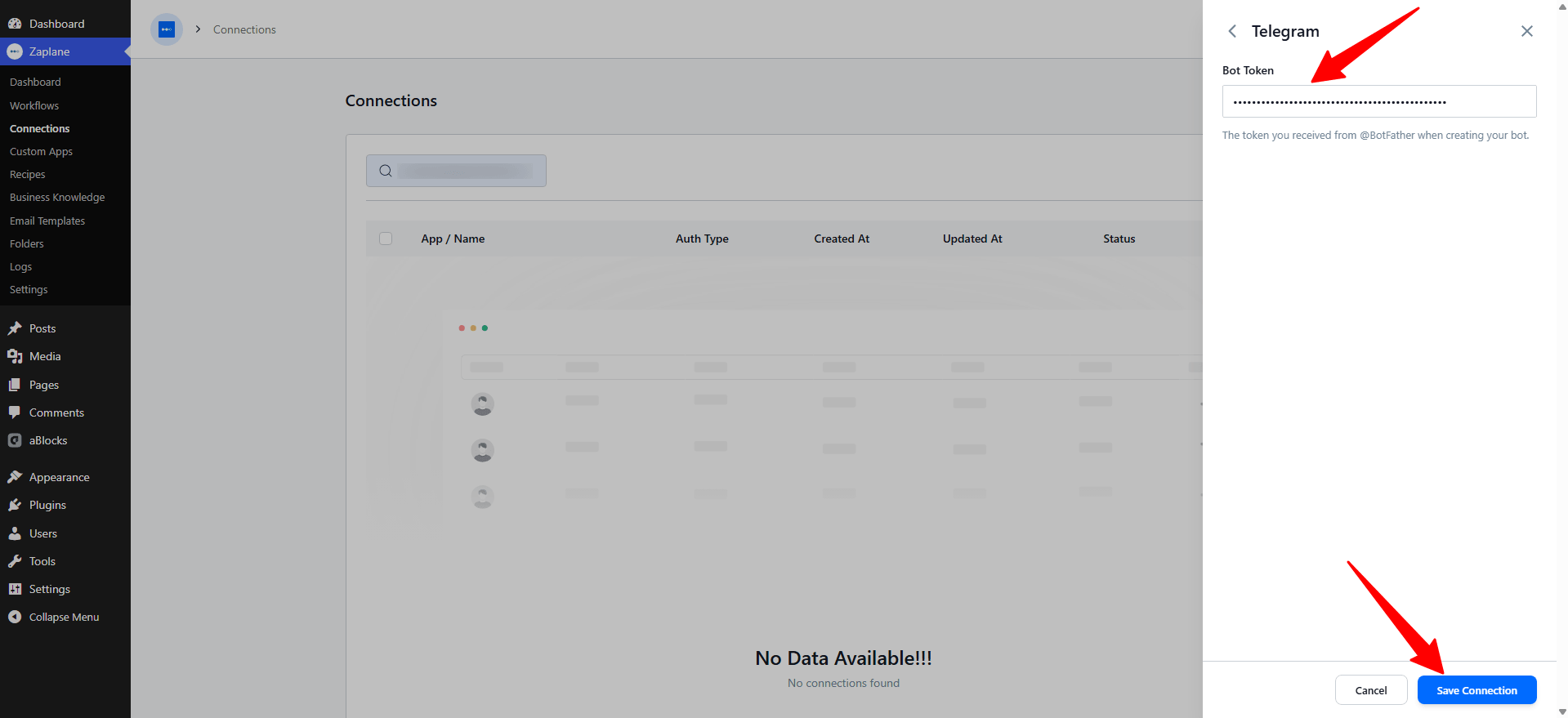
Paste the token you received from BotFather into the Bot Token field, then click Save Connection.
Step 5: Create a Workflow
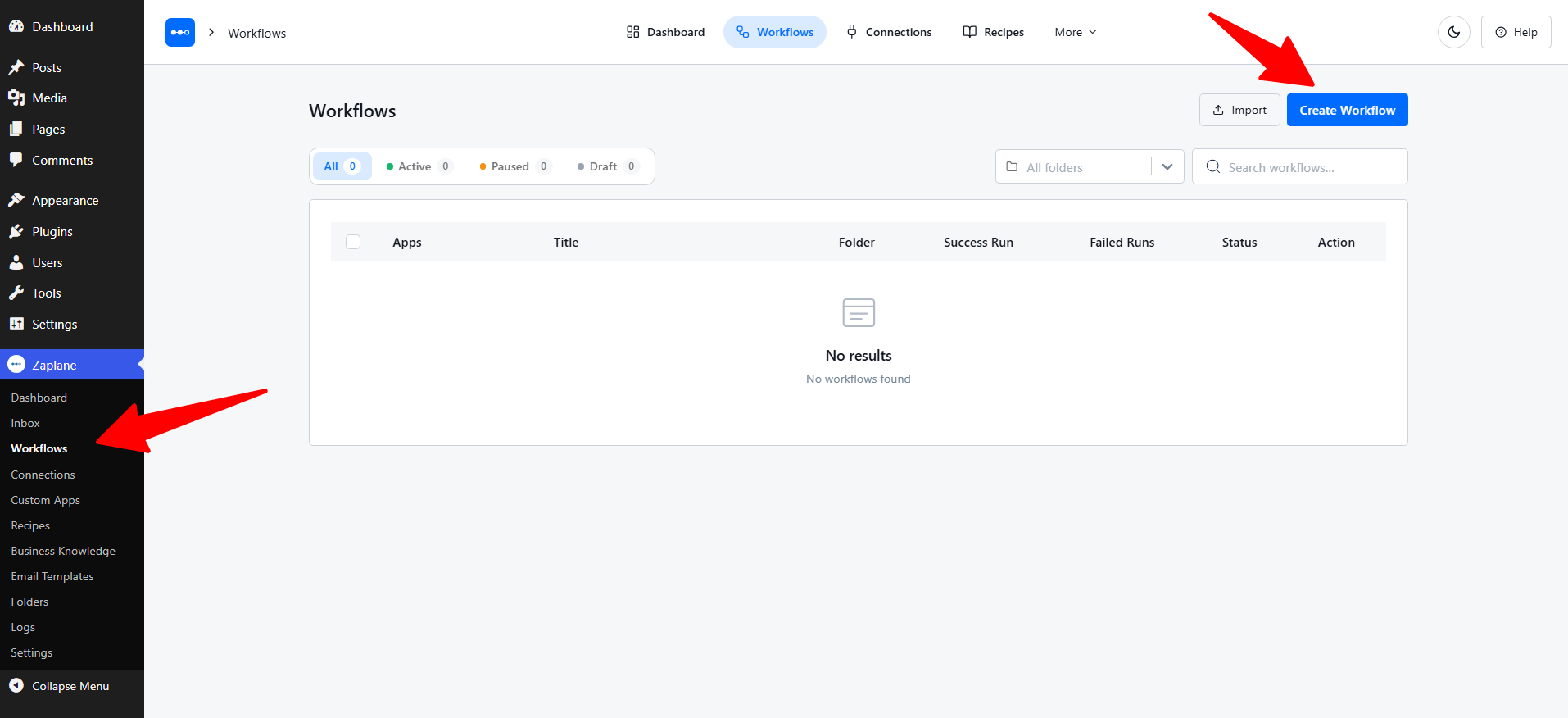
Go to Zaplane > Workflows, then click Create Workflow to open the workflow builder.
Step 6: Add the Telegram Trigger
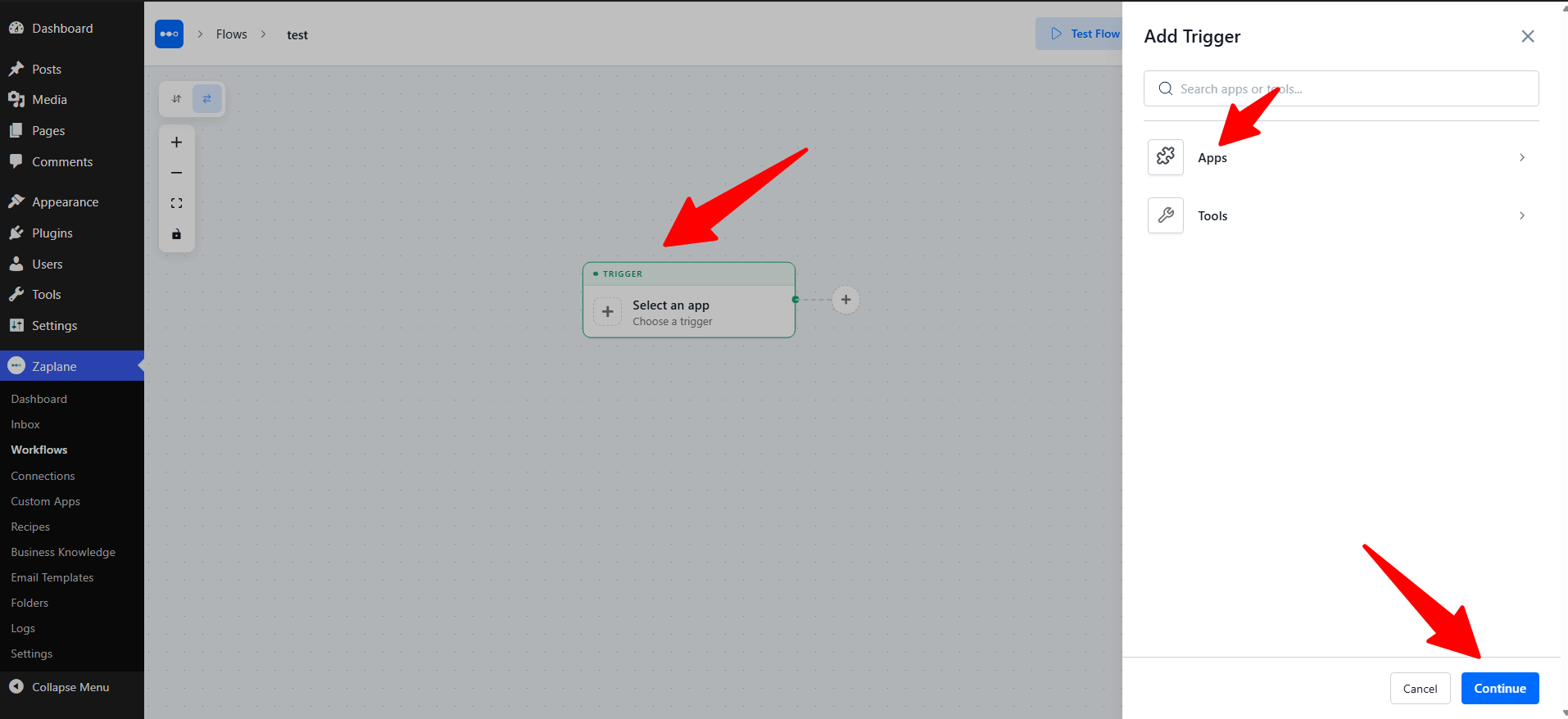
Click the Select an app trigger node on the canvas. In the Add Trigger panel, choose Apps.
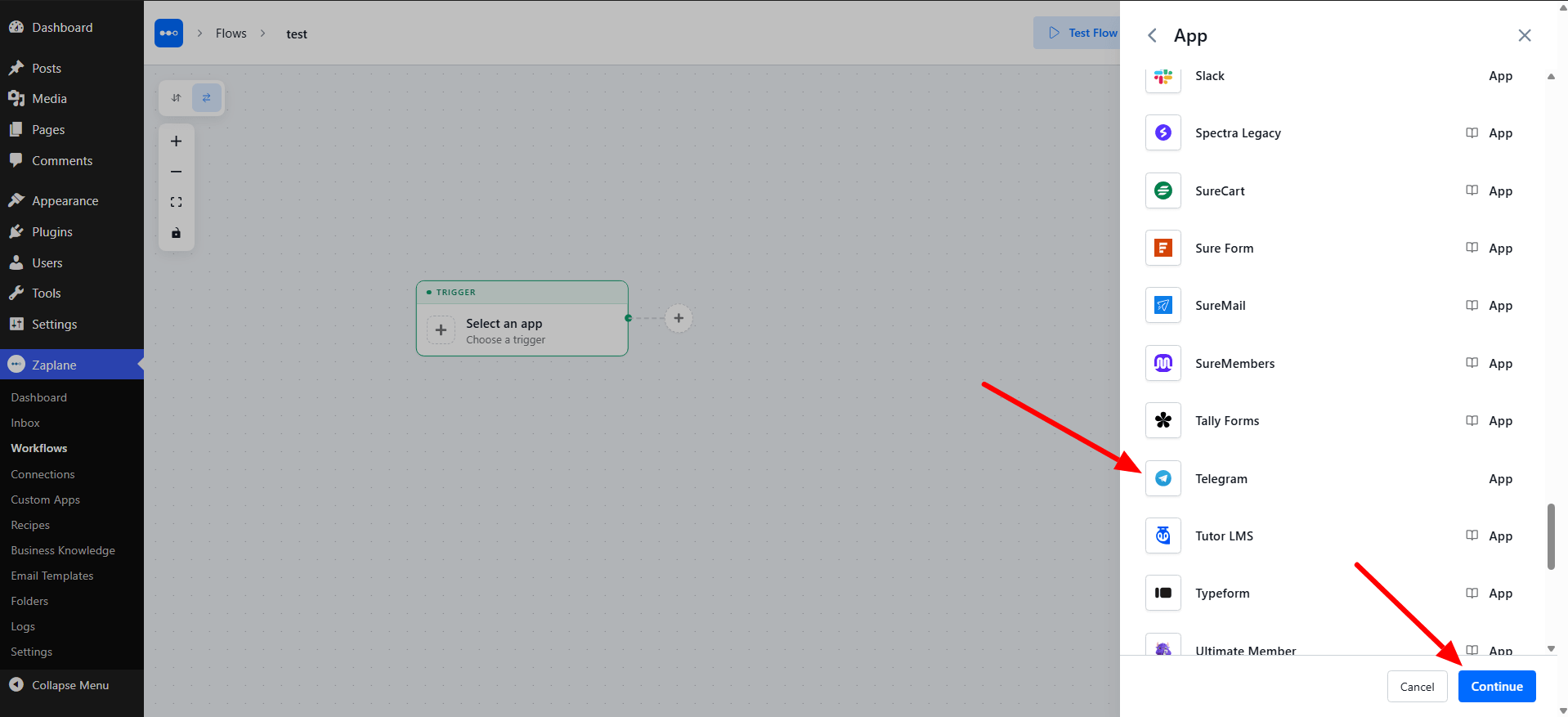
Select Telegram from the app list and click Continue.
Step 7: Choose the Trigger Type and Connection
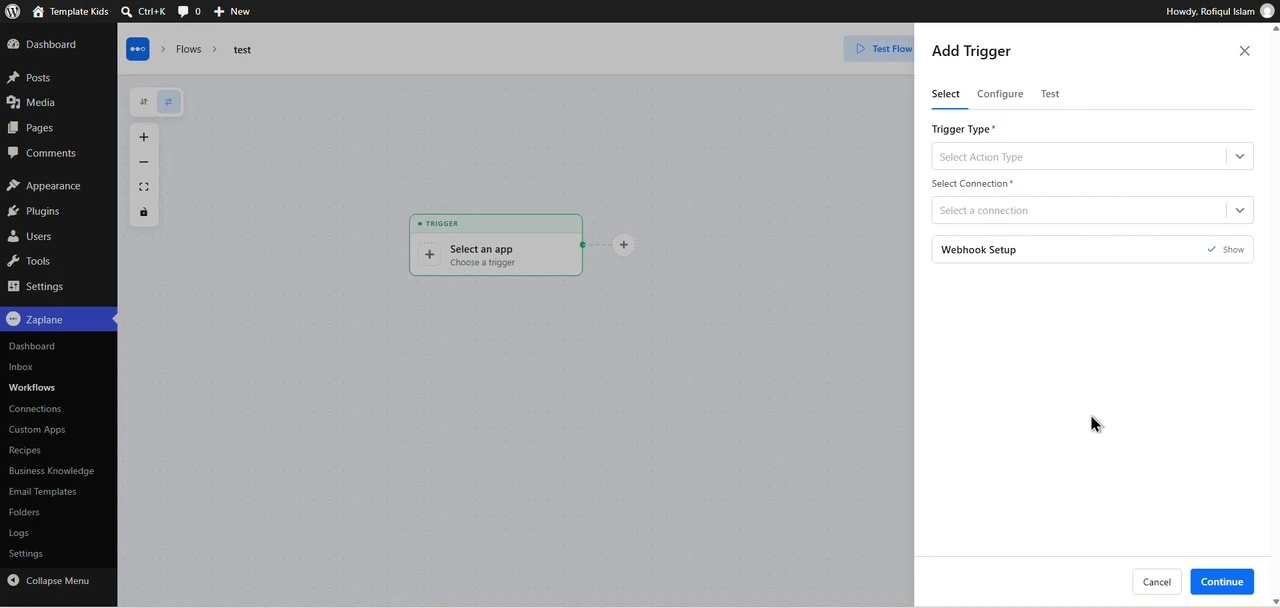
Open the Trigger Type dropdown and pick the event that should start your workflow. Telegram offers several trigger types, such as message, command and channel post events. Here we use Message Received. Then, in Select Connection, choose the Telegram connection you created in Step 4. Click Continue.
Step 8: Configure the Trigger
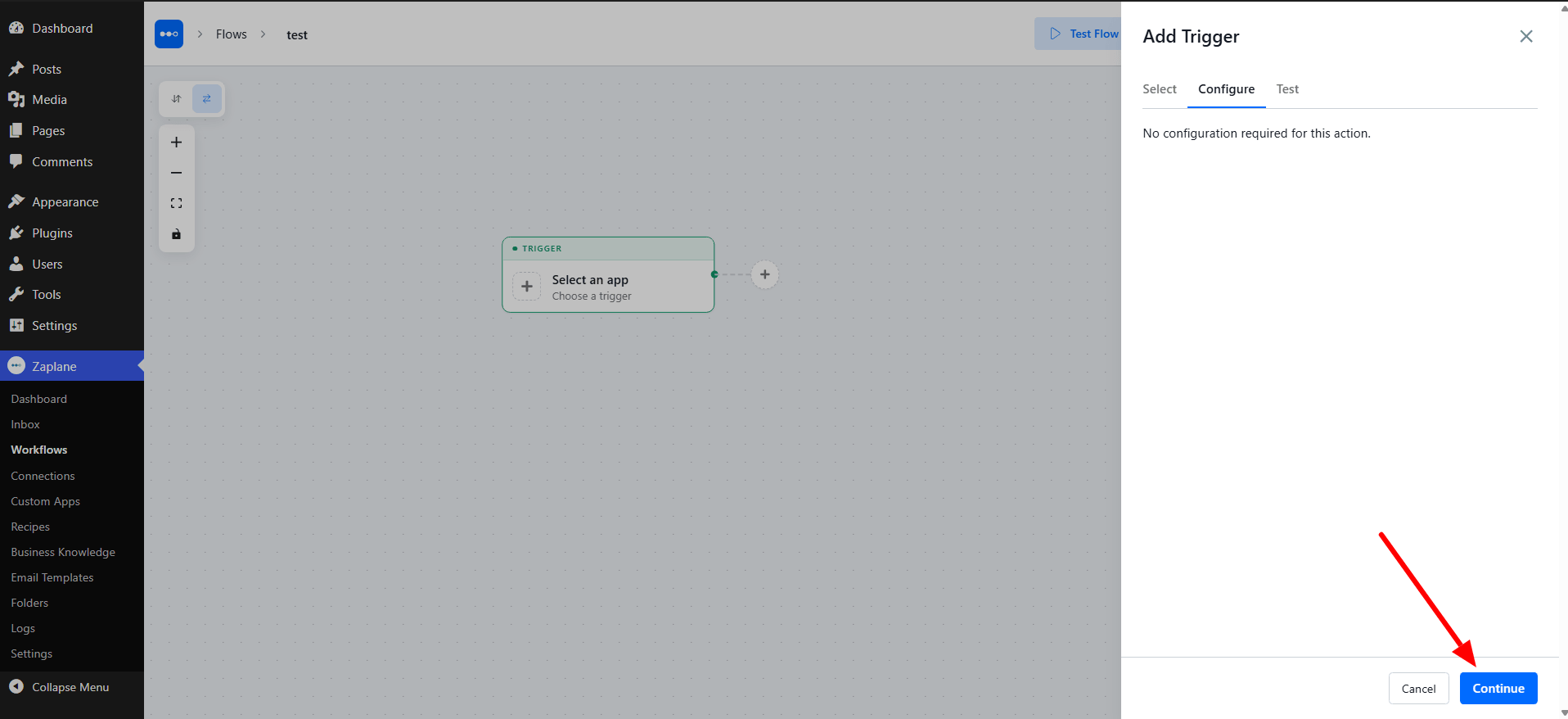
The Configure tab shows “No configuration required for this action.” Nothing to set up here, so click Continue.
Step 9: Test and Activate the Workflow
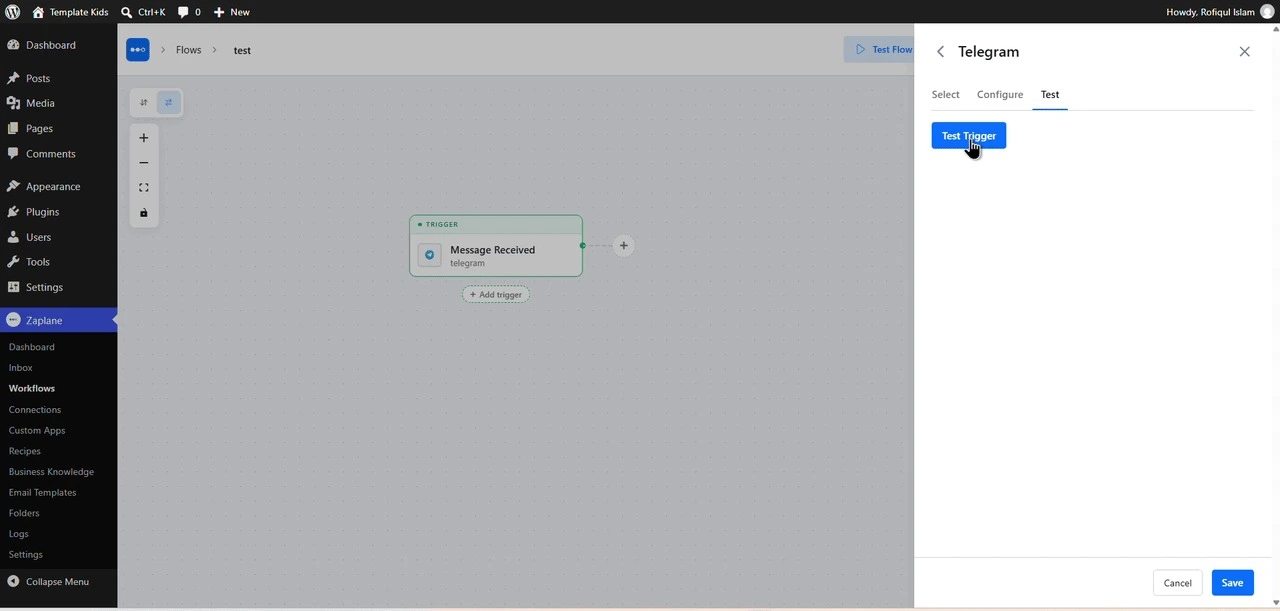
On the Test tab, click Test Trigger, then send a message to your bot in Telegram. Zaplane captures the message and shows its data in the Output section. Click Save.
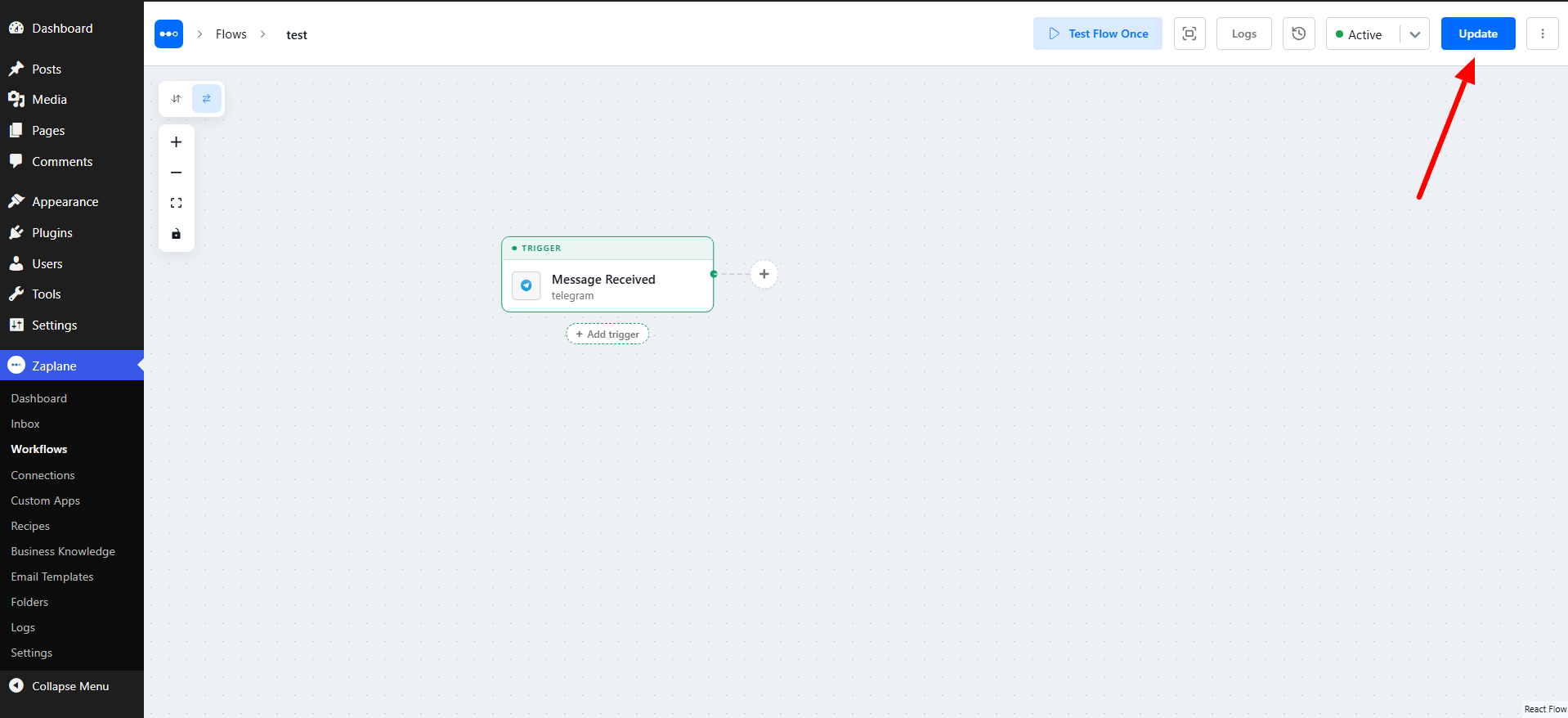
Your trigger node now shows Message Received. Make sure the workflow status is Active, then click Update in the top-right corner to save and activate the workflow.
Done!
Telegram is now connected to Zaplane. From now on, every time your bot receives a message, your workflow runs automatically.