

The Repeater tool loops through the same set of actions a number of times before continuing — useful for anything you need to run repeatedly within a single workflow run, like posting several updates or processing a batch of items.
Step 1: Create a Workflow
Go to Zaplane > Workflows from your WordPress dashboard, then click Create Workflow to open the workflow editor.
Before adding a Repeater tool, you need to set up a trigger first. Here is how to do it quickly:
- Click Select an app under the Trigger box, then choose Apps.
- Search for and select your trigger app — in this example, we are using aBlocks Contact Form.
- Choose the Trigger Type that matches the event you want to watch for, then click Continue.
- On the Configure tab, set up any required options, then click Continue.
- On the Test tab, click Test Trigger to confirm it is working correctly, then click Save.
Once your trigger is saved, proceed to the next step to add the Repeater tool.
Step 2: Add the Repeater Tool
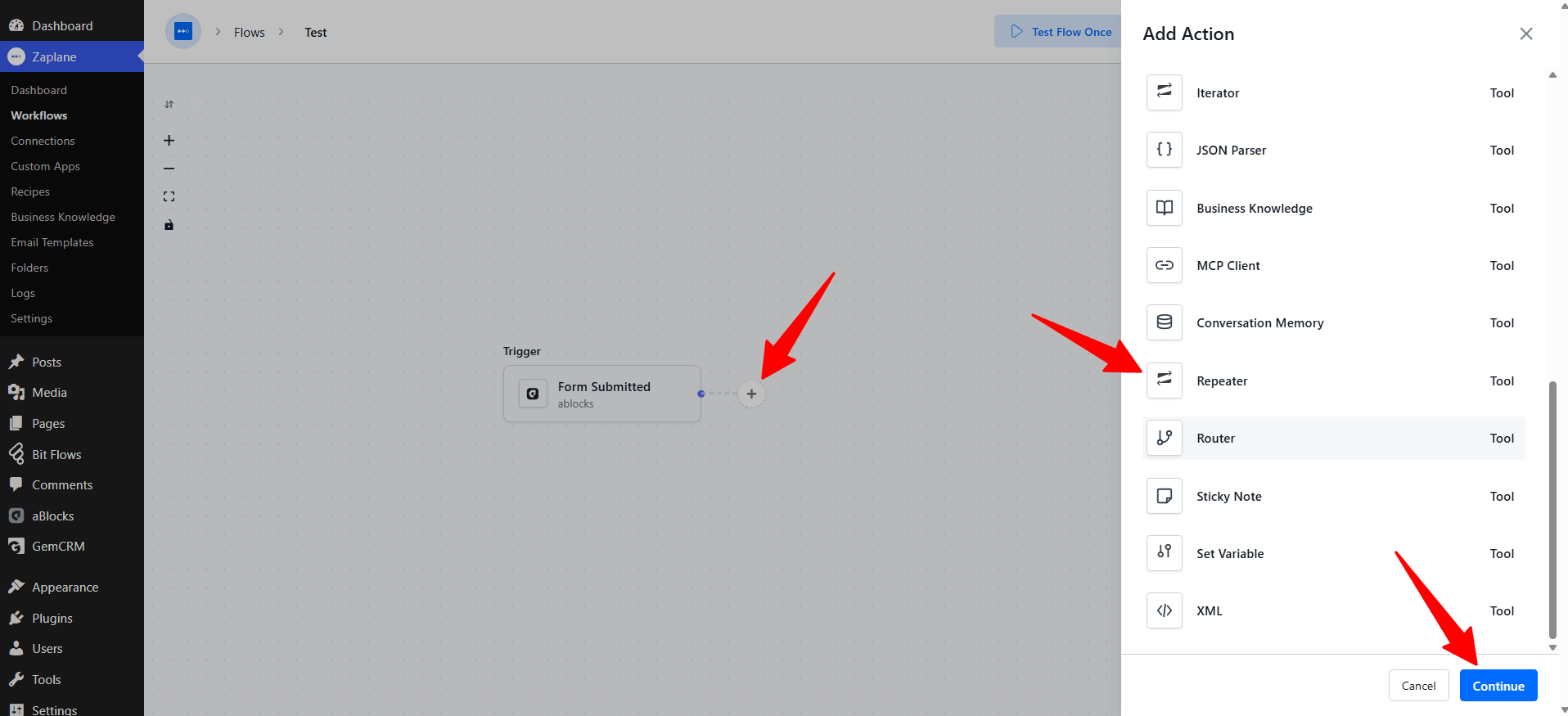
Click the + icon on your workflow canvas to open the Add Action panel, then select Repeater from the list of built-in tools.
Step 3: Choose the Action Type
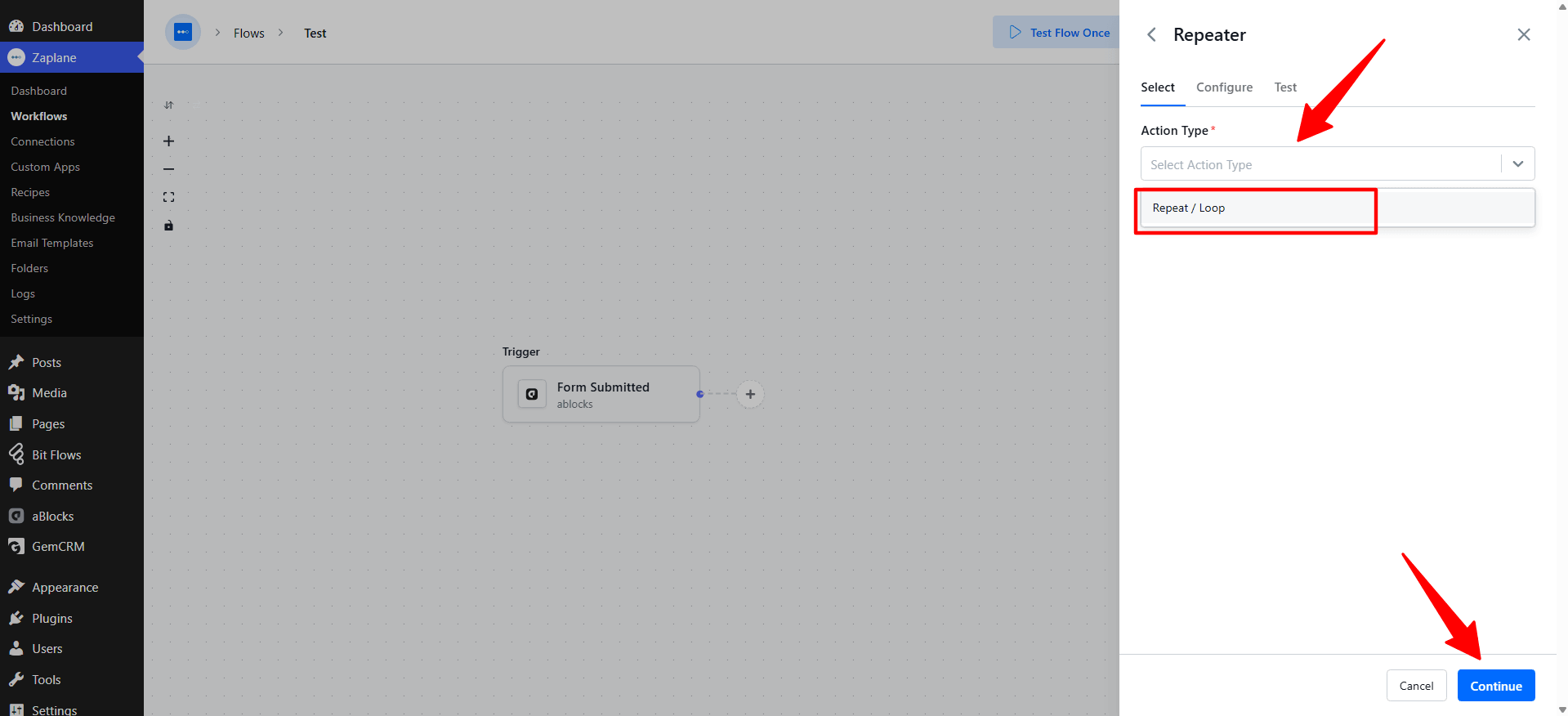
On the Select tab, open the Action Type dropdown and choose Repeat / Loop, then click Continue.
Step 4: Configure the Action
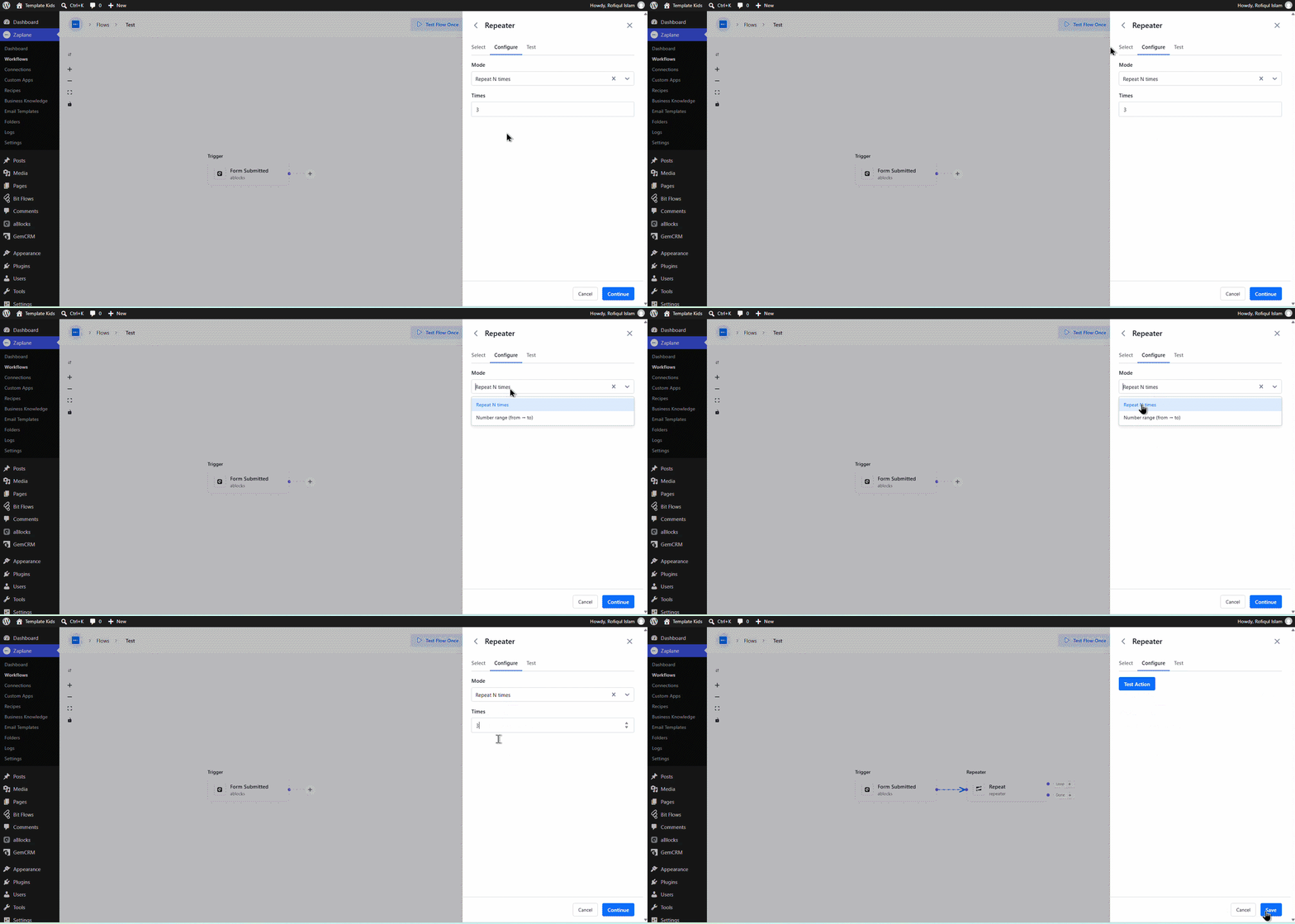
On the Configure tab, set the Mode to Repeat N times, then enter the Times you want the loop to run. Click Continue when done.
Step 5:
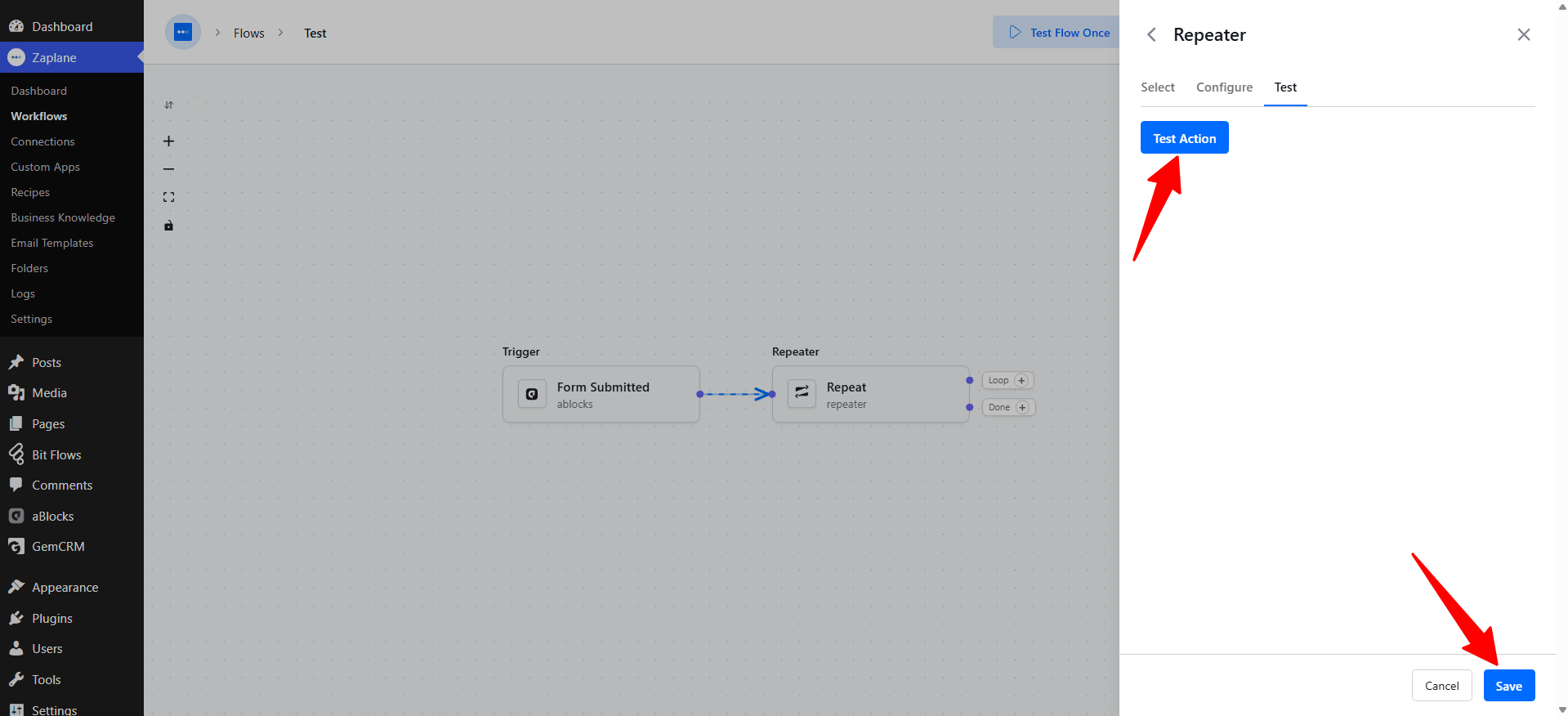
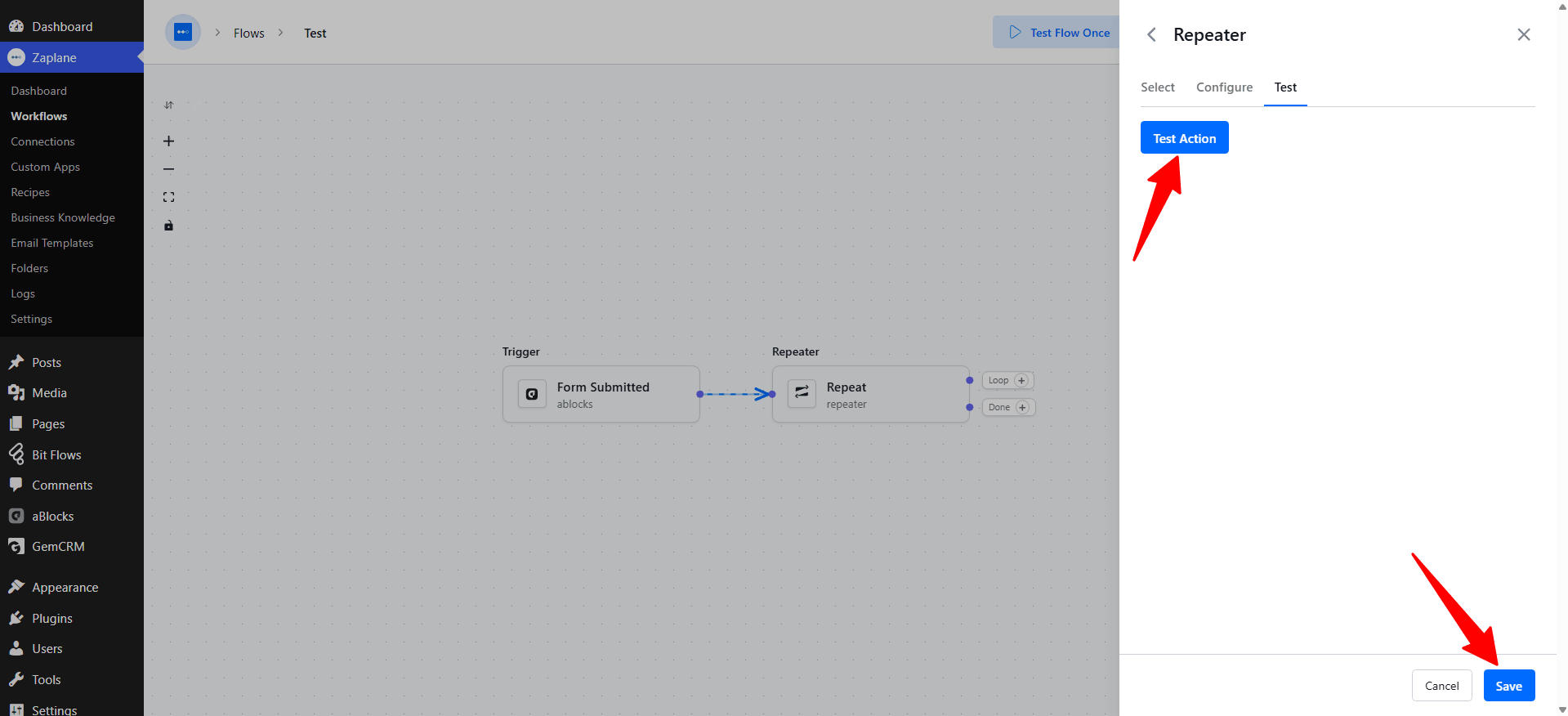
On the Test tab, click Test Action to confirm the loop runs as expected, then click Save.
Step 6:
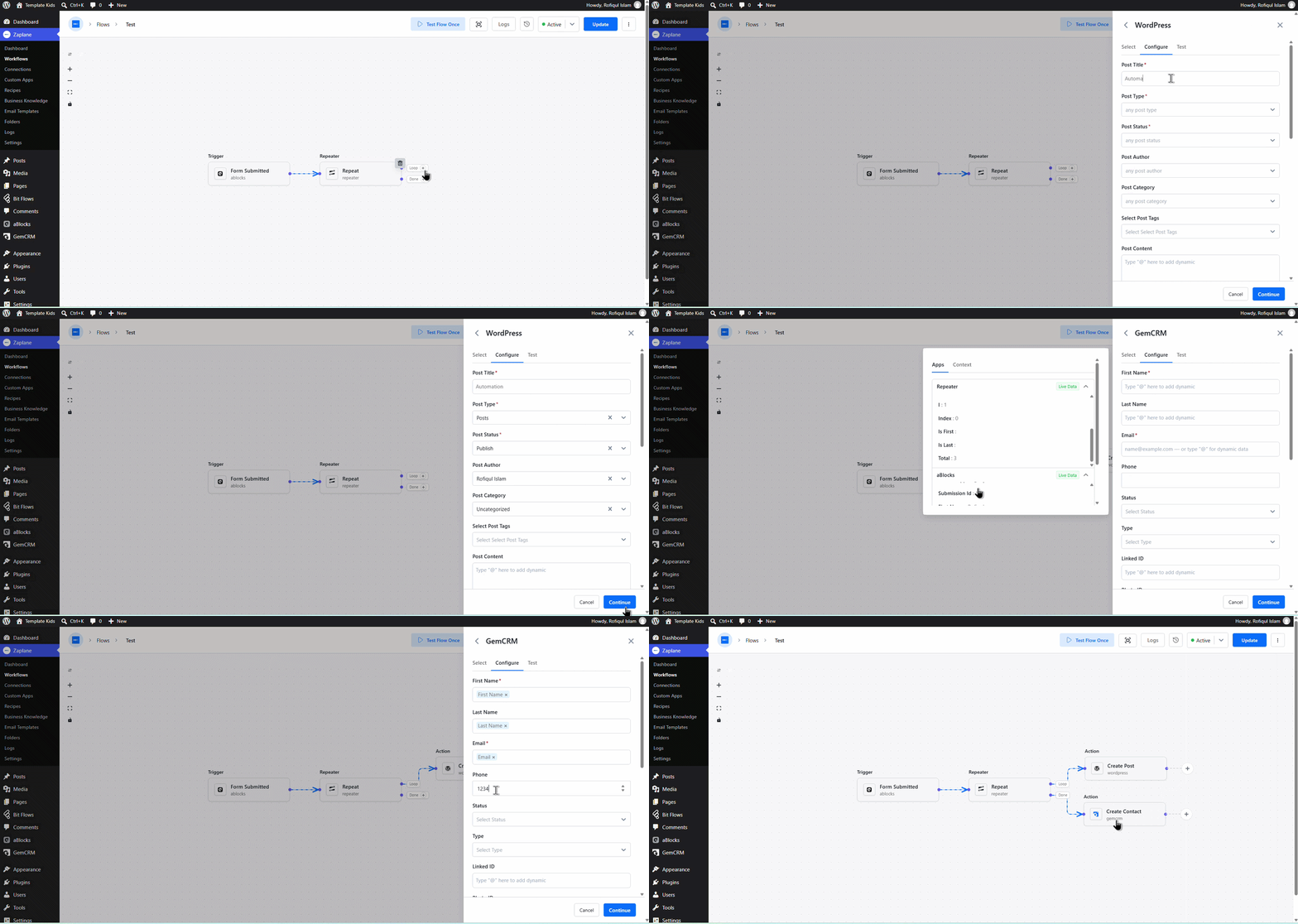
The Repeater tool creates two branches on your canvas — Loop and Done. Click the + on the Loop branch to add the action that should run on every repeat, and on the Done branch to add the action that should run once the repeats are finished.
Step 7: Update and Activate the Workflow
Back on the workflow canvas, click Update to save your changes and keep the workflow Active.
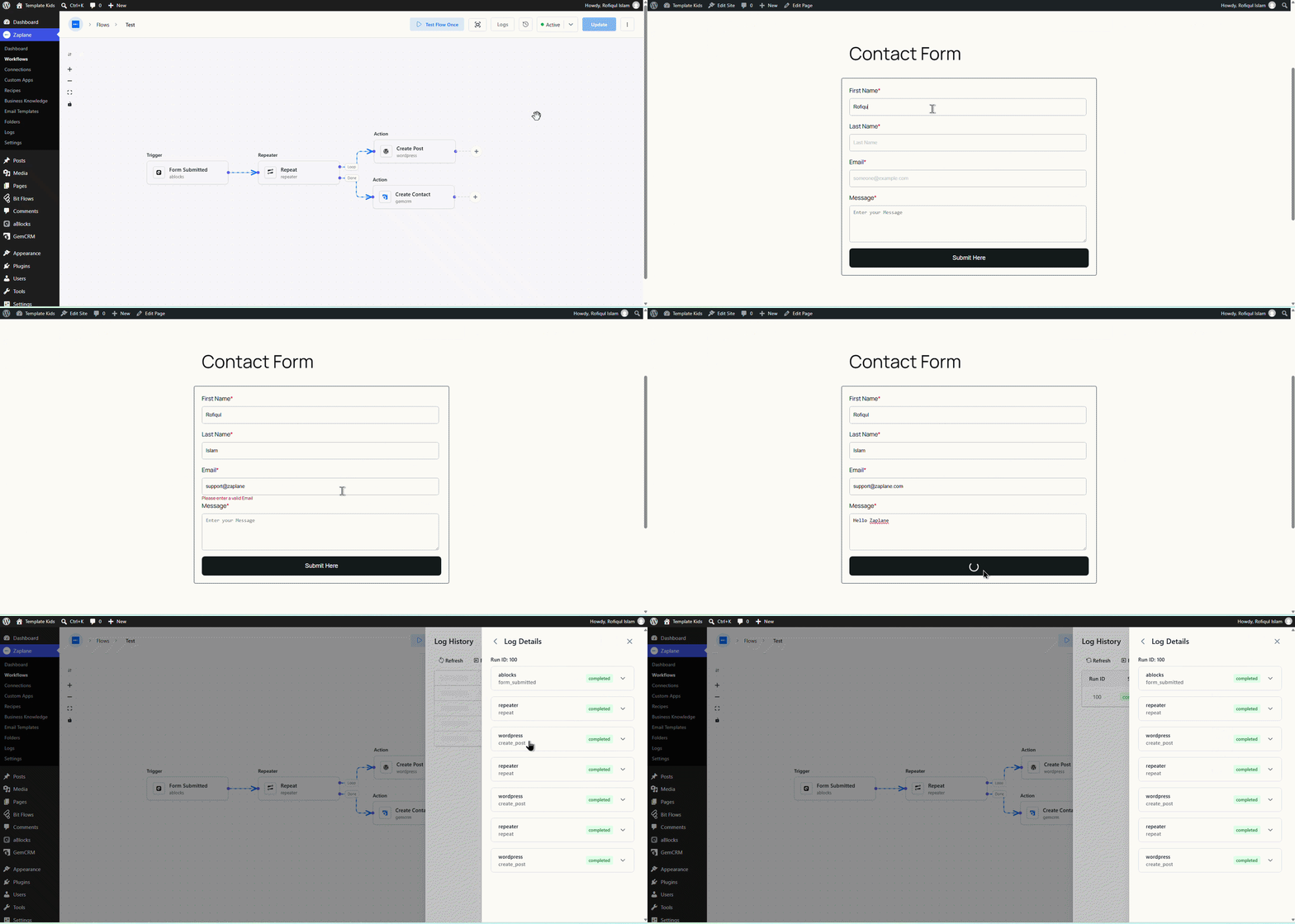
Your Zaplane workflow now repeats the Loop action the set number of times every time it runs, then continues to the Done action.
Done!
The Repeater tool is now live in your workflow and will loop through its actions every time this step is reached.