

The CSV tool lets you take raw CSV text — from a trigger, a file, or pasted manually — and parse it into structured data you can use in later steps. This guide shows how to add a Parse CSV action after a Form Submitted trigger.
Step 1: Create a Workflow
Go to Zaplane > Workflows from your WordPress dashboard, then click Create Workflow to open the workflow editor.
Before adding a CSV tool, you need to set up a trigger first. Here is how to do it quickly:
- Click Select an app under the Trigger box, then choose Apps.
- Search for and select your trigger app — in this example, we are using aBlocks Contact Form.
- Choose the Trigger Type that matches the event you want to watch for, then click Continue.
- On the Configure tab, set up any required options, then click Continue.
- On the Test tab, click Test Trigger to confirm it is working correctly, then click Save.
Once your trigger is saved, proceed to the next step to add the CSV tool.
Step 2: Add the CSV Tool
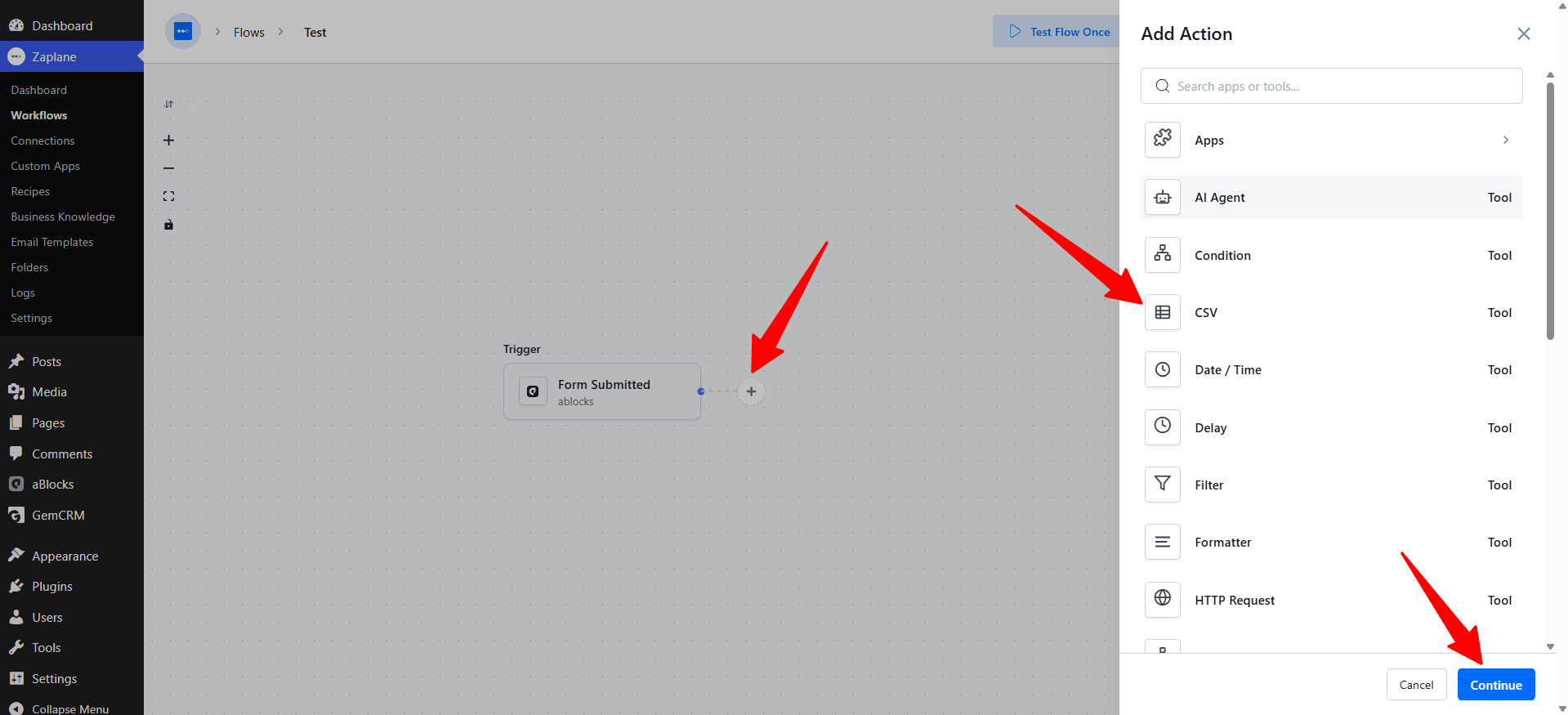
On your workflow canvas, click the + icon next to your trigger to open the Add Action panel, then select CSV from the Tools list.
Step 3: Select “Parse CSV”
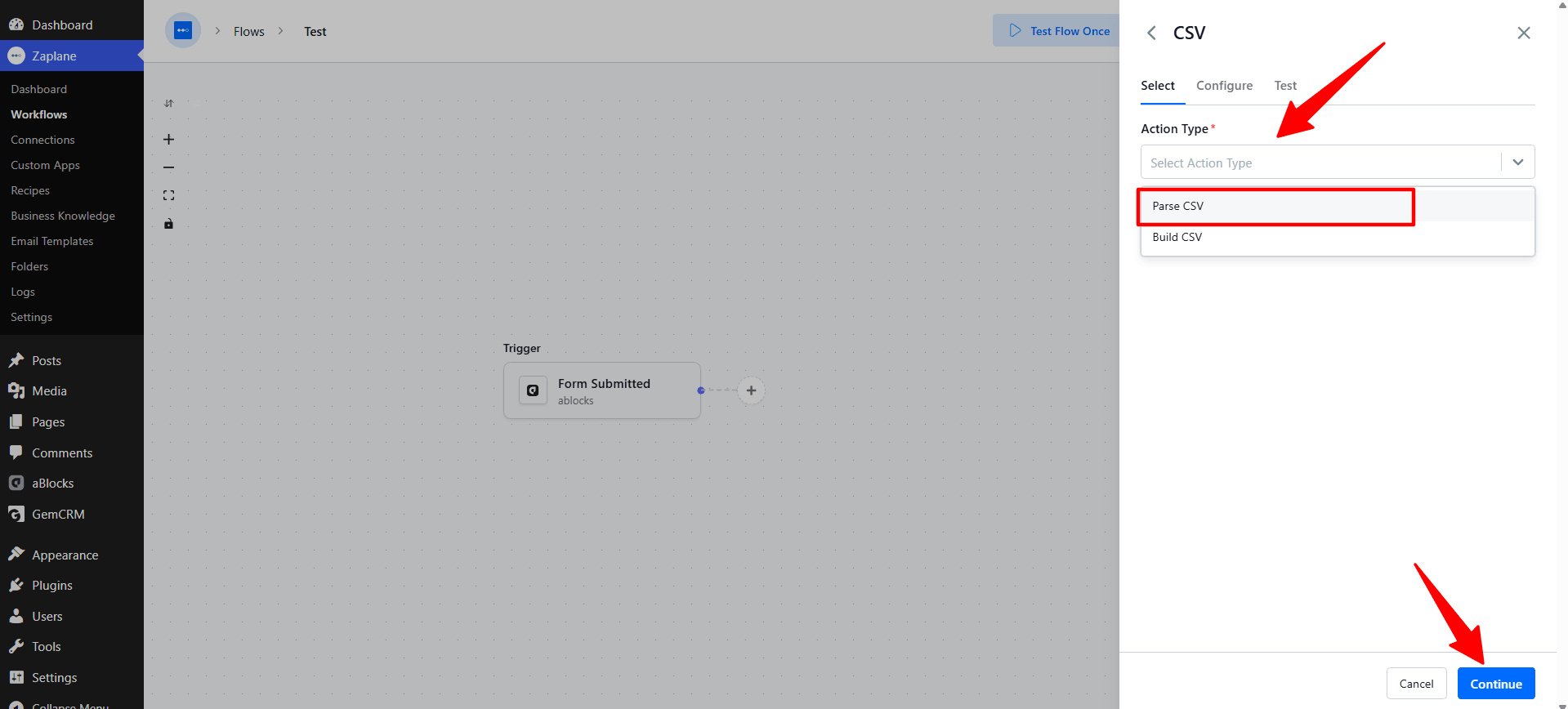
On the Select tab, choose Parse CSV as the Action Type (the other option, Build CSV, does the reverse — turns data into CSV text). Click Continue.
Step 4: Configure the Action
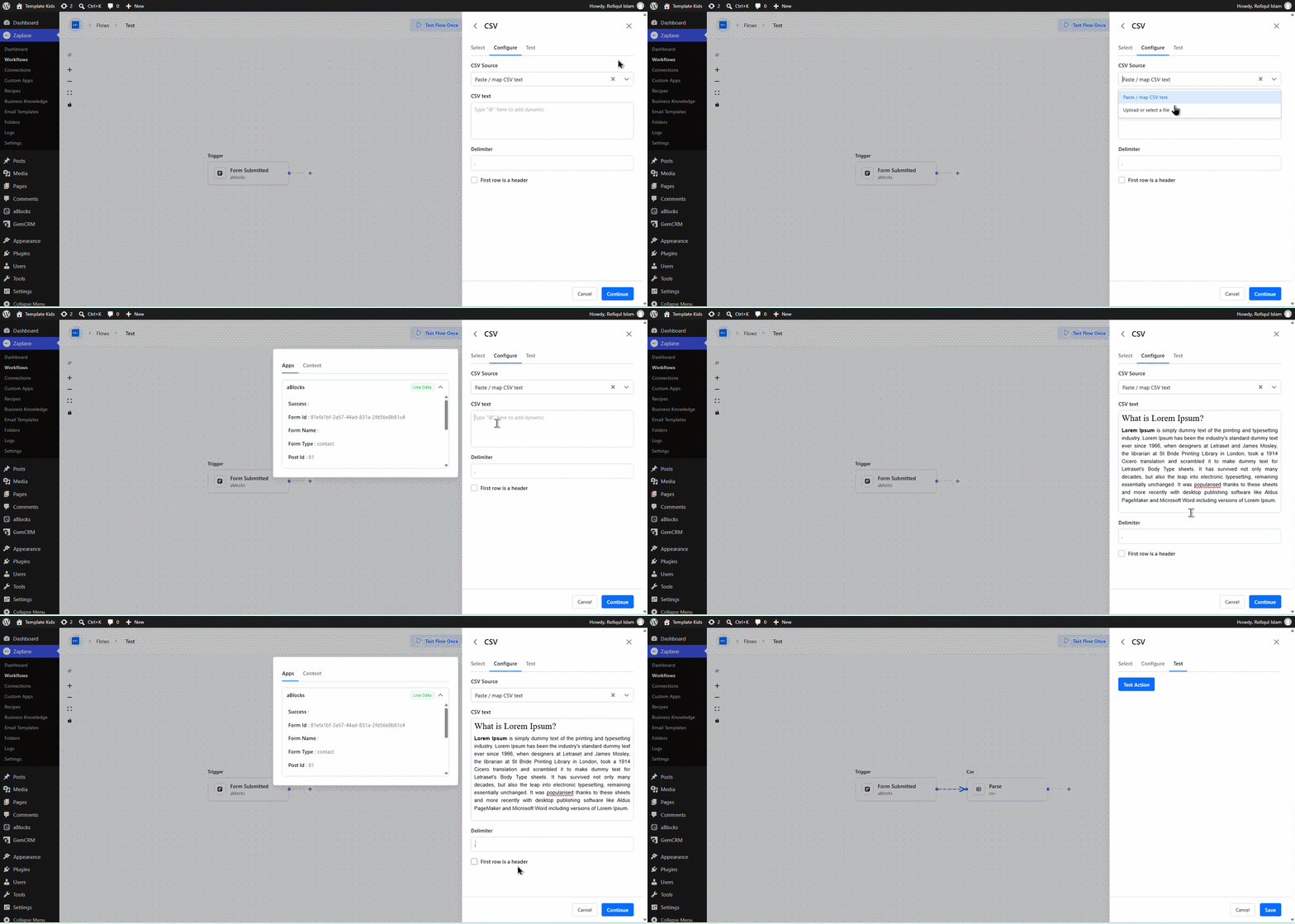
On the Configure tab, set the CSV Source (e.g., “Paste / map CSV text”), enter or map your CSV text, set the Delimiter (e.g., a comma), and check First row is a header if your data includes column headers. Click Continue when done.
Step 5: Test the Action
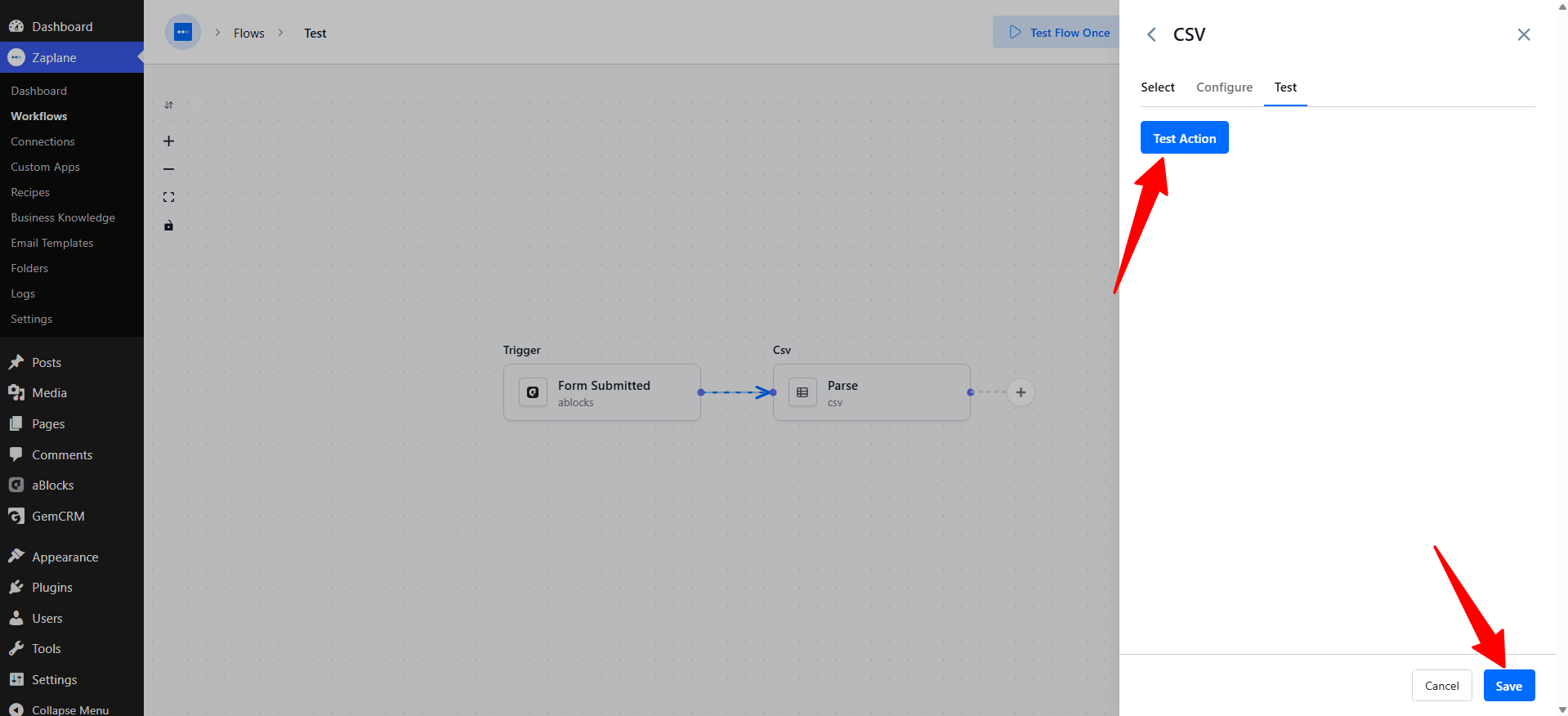
On the Test tab, click Test Action to parse your sample CSV and confirm it comes out as expected. Once the test succeeds, click Save.
Step 6: Update and Activate the Workflow
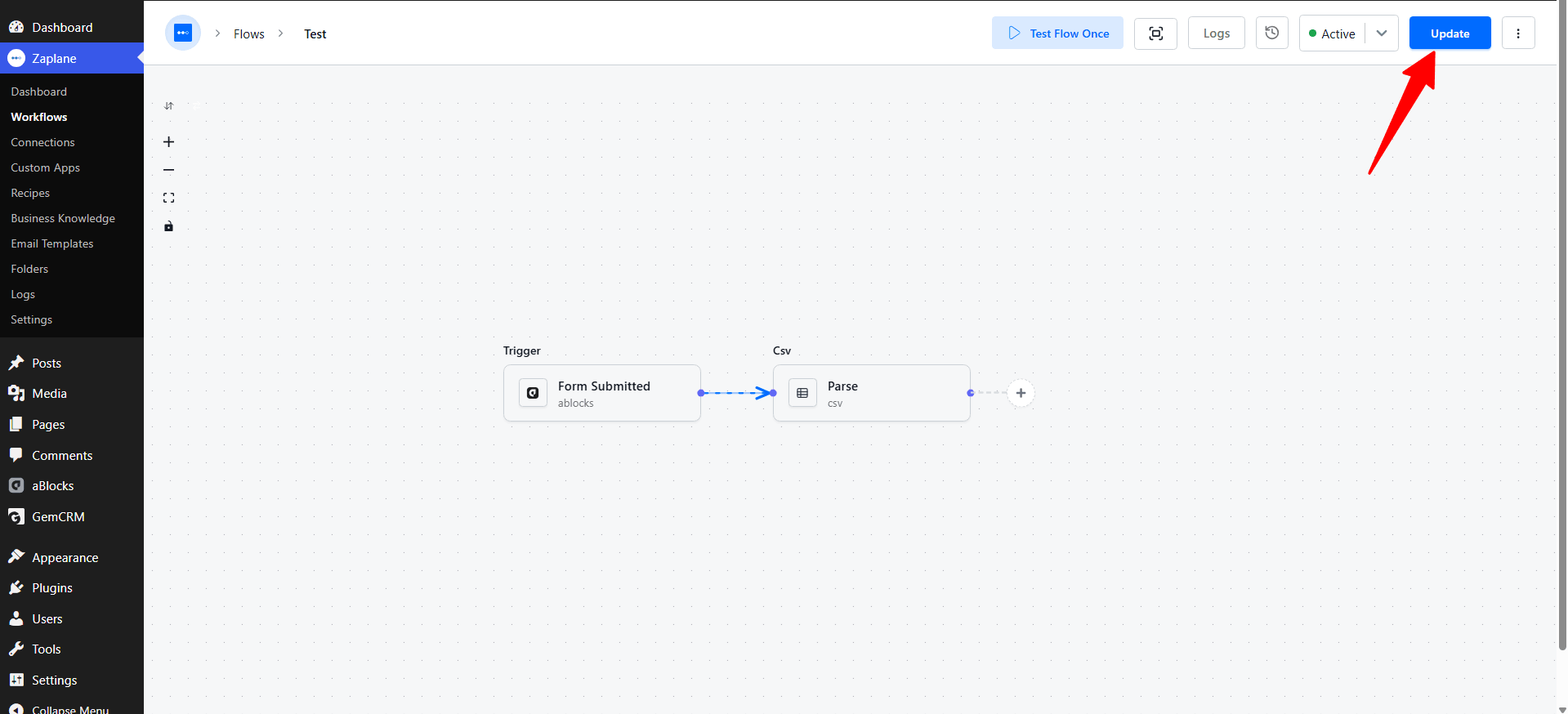
Back on the workflow canvas, click Update to save your changes, and make sure the workflow status is set to Active. You can view execution results anytime from the Logs.
Done!
Your Zaplane workflow can now parse CSV text into structured rows automatically, ready to use in any action further down the workflow.